Showing posts with label Digital Cameras. Show all posts

9.27.2017

LG = Life’s (not so) Good

LG is a company that I want to like; they are not as big as Samsung or Sony, and their products have been fairly inovative.  However, I funally ralized their products are unreliable and their customer support is less helful than Comcast support (my former worst support). 

I am on my thrid- and last- LG cell phone.

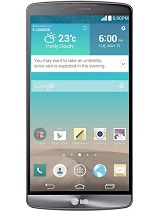
LG G3
MORE PICTURESThe LG G3 moved the volume buttons to the back of the phone- and that was amusing for a while.  The phone itself was slow and chewed through batteries.  I used this phone for ~6 months and ‘upgraded’ to the LG V10.

LG V10
MORE PICTURESThe LG V10 had a second screen for noticicaitons and an enahcned DAC for better sound.  It was also ‘ruggitized’ for duriability.  It had the rear volume controls around the power button and a fingerprint sensor in the button.  The first issue I had with this device is the fingerprint sensor would not work if the phone is in a case…

The GPS was unreliabe; several times I could not get a GPS lock while driving down the interstate in GA.  A reboot usually temporarily fixed this- but this also lead into its second issue: the battery would drain much faster than anything could charge.  On several occasions, I would try to use Google Maps for directions and the phone would steadly creep down the battery percentage while connected to a QC 2.0 charger.  I happily returned this phone when my ‘lease’ ended with T-Mobile.

LG G5
MORE PICTURESMore recently I purchased the LG G5.  I loved the phone for the size, the performance and the USB C charging connector.  I picked up the LG G5 Camera addon and the LG 360 camera (more info my prior posts) accessory.  It seemed to be the perfect phone- until the volume control became intermittiant.  I am unsure if it is a hardware or software issue, but it usually stops working after I connect to a bluetooth audi device (headphones, car, etc).  A few reboots sometime fixes this, but is yet another LG pain-in-th-ass.

I have LG several chances to make me like them and have received poorly designed (and seemingly untested) devices complimented with poor support and broken support websites; my next phone will be a Google Pixil or a Samsung.

9.21.2017

LG 360 Camera Firmware

As mentioned in a prior post, I purchased an open-box LG 360 camera from a seller on Amazon- and the LG customer service experience began.  After several failed attempts to use various versions of LG Bridge and on different Windows and Mac computers, I had given up and was using an older 360 Camera application from the Google Play store.

Yesterday I chanced upon a post on the LG Users forum on Google plus that had a capture of the R10510L firmwareAnother post on the page made me aware of the ‘UPPERCUT’ application this able to load firmware to LG devices without using their bloatware LG Bridge (re: bloatware as I have zero interest in their mandatory LG Drive to run LG Bridge).

After installing LGUP (included in package) and UPPERCUT, I was able to update my LG 360 camera to R10510L.  :)

I am still unable to connect to the camera via LG Bridge.  The updated Android application is much faster to connect and take pictures (old app had a 1-2 second delay after pressing the on-phone button). 

My miserable experiences with LG’s US support has convinced me to stay clear of any future LG purchases; It really felt like it was lowest-bid out-sourced customer support as it was complete ‘I-don’t-give-a-fuck’ correspondence.

5.10.2017

LG 360 Camera - Software Problems

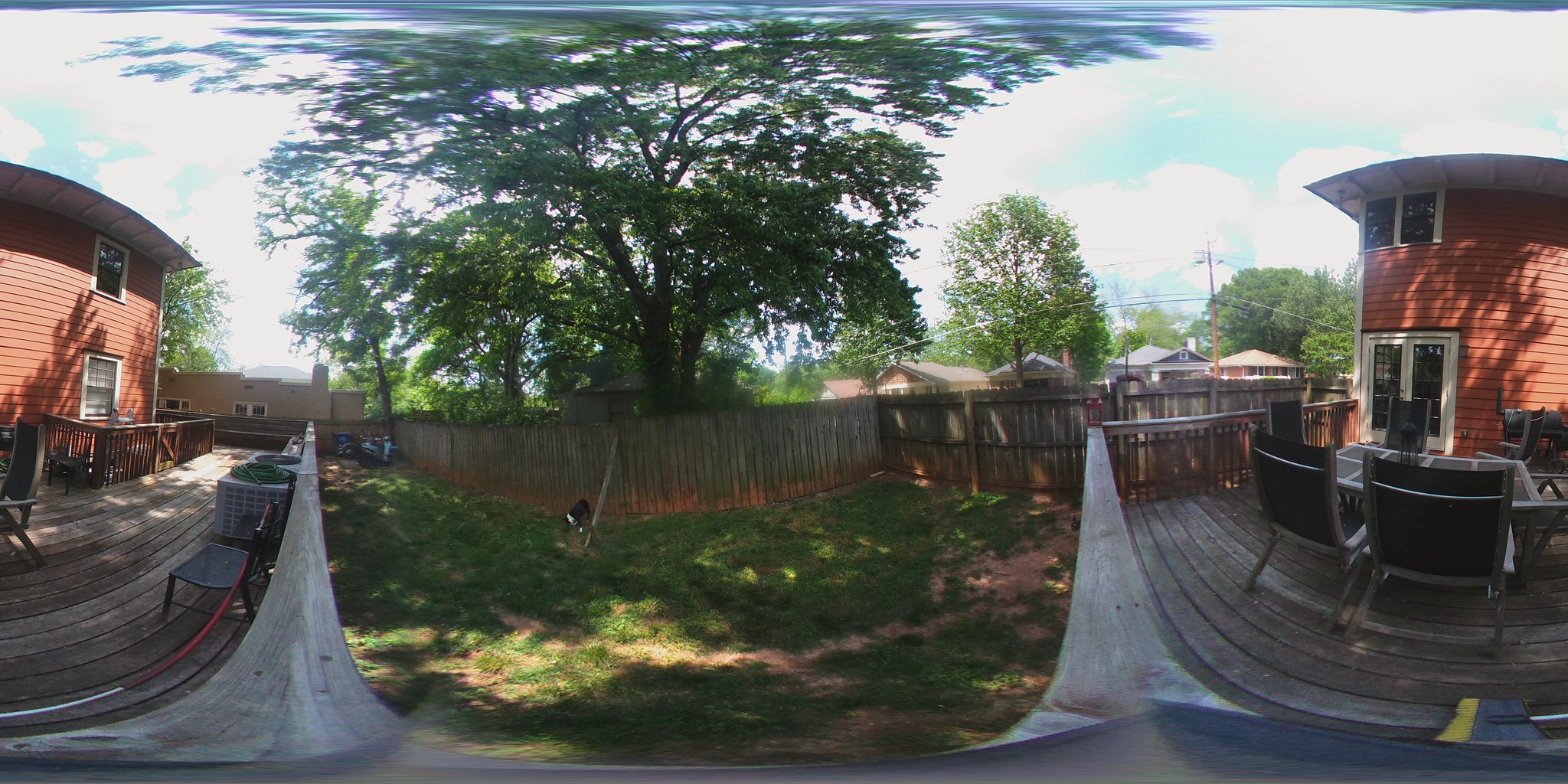
The LG 360 camera is an interesting device with dual 180 degree cameras that provide a full 'sphere' photo.  It retails for $199 but was shipped as a bonus for many early LG G5 adopters.

I chanced upon one of these on Amazon at a reasonable price.  This post will chronicle the ongoing difficulties I have had trying to get this device to work as LG designed.

I ordered the camera on April 17th and received on April 19th.  After charging the camera powered up, can take pictures via the shutter button and I can retrieve the photos via USB cable.  The main issue is pressing the button requires me to be in each photo (with my arm extended towards the shutter button).

I downloaded the LG 360 Camera software from the Google Play store and tried to connect to the camera- and nothing.  I tried again with a Galaxy Tab S2; same results.  I repeated my attempts with a LG V10, a Samsung Galaxy S6, a Samsung Galaxy S5, a Google Nexus 5 and an Amazon Kindle HD8 with the same results.  I assumed the camera was broken and requested a return from Amazon.

Not being one to give up on a gadget, I thought I would take it apart to see if it was fixable before returning; the tear-down video from iFixit discouraged me from attempting.  I did have the idea to try the camera with the iOS version of the 360 Camera application- and it worked!

The connection to the camera is a little odd; in the iOS app, I tap the 'search' icon and it finds the camera via Bluetooth 4.0 LE.  The app connects and the camera makes a chirp to indicate it has enabled WiFi.  On the iPad, I connect to the LGR105xxx WiFi SSID of the camera and a the camera makes a different noise- indicating a device has connected via WiFi. Opening the application again reveals the camera connected and it can be remote controlled from the iPad.

Going back to android, I discovered I could initiate this by attempting to manually connect to the camera via Bluetooth.  This sounds the alert that WiFi is on and I can see the LGR105xxx SSID. I am unable to establish a WiFi connection to the SSID from any android phone.  (It does sometimes make the second noise- and Android OS times out when connecting.

After some research in several LG 360 camera forums, I found the latest versions (5.11.1 and 5.2.x) of the LG 360 Camera software for Android require a firmware update on the camera.  I managed to find a website with older versions of the LG 360 software.  Installing v5.1.9 allows me to connect to the camera from my android phone! :)

I believe the firmware (R10508e) on my camera is an early version. LG 360 forums indicate there was a large update in April 2016 (R10510e) and several updates since then (R15010L is current).  The phone is updated with the LG Bridge application- but it will not connect to the camera.  30 seconds after my camera is connected, LG bridge responds:

With this information, I opened a ticket with LG support as I was sure there was an easy fix.  After a few disappointing conversations with 'Abby', it was clear LG no longer cares about supporting this product.  

I was informed the latest LG Bridge software would allow me to update the firmware.  I tried to explain I had already tried this- on several PCs- and it does not connect.  I think I would have been better off beating my face into a concrete brick wall than bothering with LG support...  The 'tech' regurgitated her script, continued to apologize that she had no clue as to what was going on and provided me with instructions for downloading LG Bridge... 

Some forum users have reported issues with USB controllers so I tried on a few different PCs (five) and a MacBook Pro; all have the same issue.  The PC OSes vary between Window 7, Windows 8.1 and Windows 10.  The camera was tested in different USB 2.0 and 3.0 ports on each PC with a variety of USB C cables; all exhibit the same issue.

LG 360 Camera User Forums:


I tried downgrading LG Bridge to an older version (v1.2.10) but it insists it needs and update when the application is started; if I decline, the app shuts down.  The work around is to disable Internet connectivity before starting LG Bridge.  I have tested on two PCs and both are unable to connect. (The latest LG Bridge also insists on installing LG's own 'LG AirDrive' cloud software that I have zero interest in using- and it required to use the LG Bridge software...)

The LG drivers were also downgraded from v4.2 to v4.0.4. (LG Bridge will try to update this if it is run while connected to the Internet) with no change in results.  

I am starting to suspect that LG has blocked the older firmware out of LG Bridge in a similar manner as they neutered the Android app for the same users.  I cannot use the new app without updating the firmware- but I cannot update the firmware was LG bridge will not connect...

The LG website also offers a PC Suite 'for older devices'- it also will not connect to the camera (Windows or MacOS version).

I am continuing to look for older drivers and firmware in the crazy idea I may find a way to update this camera and re-enable updates of the LG 360 Camera software in Google Play- but it is looking bleak.

Some tips:
  • Holding down power + shutter for 4 seconds forces a wireless reset of the camera (Bluetooth & WiFi?).  
  • The camera will start beeping if I press power + shutter for 8+ seconds.  Pressing the power button within 4 seconds will factory reset the device.  

Why the Hell is this so complicated LG?  Did you hire the lowest wage 'agile' developers and neglect to create an outline of what was needed before they started work?  Why does the LG 360 Camera that was launched with the LG G5 have so many software and hardware stipulations to make it work?

My final thoughts:
LG 360 Camera Hardware: 7/10
-compact design, good pictures, decent battery, quality feel
LG Software: 3/10
-Incompatibilities between camera firmware/Android app/LG Bridge make the device frustrating to use.  LG bridge requires most recent updates and their cloud program to be installed before the software will start (if connected to the Internet).  
LG Support: 0/10
-I wasted my time contacting LG support; Googling for LG 360 Camera Issues (ignoring the LG link) allowed be to connect my Android phone to my camera!

This experience (plus a failed controller board in an LG LCD TV) has left me with a bitter taste for LG products.  At one time (many years ago,) LG was one of my favorite brands.  Going forward, I think I will be better off considering devices from Samsung, Sony and other reputable vendors before rolling the dice with a future LG purchases.


20170421_150715

11.21.2009

Samsung CL65

Today I returned a very disappointing Casio EX-FS10 to Fry’s. To wave the 15% restocking fee, I had to use the return credit to towards the purchase of another digital camera. I was looking at a Canon SD940IS, but I found that they just started stocking the Samsung CL65 (also known as the ST1000 in Europe). This camera is the peak of camera all nerdy desires: Bluetooth, WiFi, GPS and 3.5” touch screen all integrated into one slim 12.2MP package with 5x optical zoom! Oh- and it has an accelerometer as well…

image

I opened the camera in the parking lot at Fry’s and ran into one stumbling block; the camera uses MicroSD instead of normal SD. This limits me to the speed of memory as the fastest microSDHC I have seen is class 6 (vs class 10 for SDHC)- and larger capacity MicroSHDC cards are much slower (class 2 for 16GB). Not a major issue, but it made the accompanying 8GB SHDC card I purchased fairly useless…

The camera is very solid feeling; all metal faceplate and a large glass LCD back panel. It also has a minimal amount of buttons: power, shutter, zoom and play are the only physical buttons- all other settings are done via the touch screen- or by tilting the camera to use the accelerometer.

The touch screen is a 1,154k pixel screen and uses audible feedback for screen presses.

One only other item I was not very pleased with is the proprietary USB cable: it looks like something I would expect with a Sony or Archos device. A second issue with the USB cable is that it is only 2’ long- which means it is difficult to charge from a wall outlet.

The camera packaging contains:

  • Samsung CL65 Camera
  • Samsung SLB-11A Battery
  • Wrist lanyard
  • USB Cable
  • Wall-to-USB charger adaptor
  • CD with PDF manuals
  • Quick start and warrant guides

I have taken a few dozen test shots, and all of them have turned out incredibly nice- even while taking pictures in full zoom mode while travelling at 60mph on the Interstate:

SAM_0010

Indoor shots are very sharp and show a lot of detail that is normally lost with point-and-shoot cameras.

SAM_0016

Overall I am very impressed with the photo quality and photo features.

The startup time to shot ready is less than 2 seconds. shot-to-shot with no flash is about 4 seconds (fairly fast). Flash recharge time is about 8 seconds. The battery is a Samsung SLB-11A battery (3.8v, 1130mAh).

The integrated GPS can GeoTag photos by inserting the longitude/latitude coordinates in the EXIF info of the JPEG. Files can be transferred from the camera via USB cable, WiFi or Bluetooth.

Plugging the camera into a PC initiates a virtual CD-ROM via camera firmware which autoruns (if enabled) the Samsung Intelli-Studio software. This software is a basic file transfer software/photo editor/sharing software that does a decent job. The Inteli-Studio software can upload pictures to Flickr, videos to YouTube or just share via email.

The wireless menu is accessible via the touch screen and pulls up the ‘wireless networking’ transfer menu. Transfer options are via the internet, email, camera-to-camera, home share, DLNA or Bluetooth transfer:

IMG_0097

Internet transfers can be sent to Picasa, FaceBook, YouTube or Samsung imaging web sites. Strangely, Flickr (the one I primarily use) is not an option directly from the camera- it is only available via the desktop software:

IMG_0099

Often used email addresses can be added in the camera memory for email transfers, or addresses can be typed as needed for email sending.

Camera to camera appears to be a Bluetooth file transfer but does not require a permanent pairing.

I was unable to find any information on the home share transfer; I assume this will transfer files to a SMB file share or a DLNA share.

The DLNA transfer will let the user push an image (no video) from the camera to a DNLA device. In my scenario, I was able to push images to my TV or to my DirecTV receiver.

Bluetooth requires a PIN code each time a transfer session is established, and I believe that only one image can be transferred at a time. I was able to pair and transfer images to my Motorola Droid with no problem.

The wireless response is fairly slow; it takes about 9 seconds to bring up the wireless networking menu, and then another 50 seconds to initially connect to your wireless access point (after entering WEP/WPA key). Leaving the ‘Web’ menu and opening the ‘email’ menu takes another 10-15 seconds as the camera must re-establish a connection to the wireless access point. Hopefully these times will be addressed with a future firmware update.

There are six shooting modes:

  1. Auto
    Partial auto mode; still have options for focus area, face detection and image quality & size.
  2. Smart Auto
    Auto everything; only options are image size (12MP, 10MP, etc)
  3. Movie
    720p HQ, 720p std, 640x480, 320x240 and 320x340 Web (30 second clip) mode
  4. Dual IS
    Uses both optical and digital image stabilization
  5. Scene
    Beauty Shot, Frame Guide, Night, Portrait, Children, Landscape, Close Up, Text, Sunset, Dawn, Backlight, Fireworks, Beach & Snow
  6. Programmed Mode
    Allows exposure, white balance, ISO, metering mode, and sharpness/contrast/saturation settings.

On the autofocus settings, there are options for multi AF or one touch shooting. The later mode allows focus to a point specified by touching the screen; holding your finger for about 2 seconds takes a picture. In autofocus mode there are several face detection modes: normal, self-portrait, and smile shot (automatically takes a picture when a smile is detected). there are also options for blink detection and smart face recognition. there is a ‘five star’ setting that will allow you to take 5 shots at different angles for face recognition (I actually haven’t figured this option out yet).

Overall, I am very happy with this camera. It is very quick to shoot and to take a second shot. The battery life is decent (more than enough for a night out). The picture quality is very good and the LCD is a beautiful display to show them to friends. The proprietary cable is a downer, but I ordered a spare battery and external charger from eBay to eliminate the need to carry this cable around for recharging (an 8MB microSD will hold about 1100 12MP images, so I probably won’t worry about needing to pull off images to free up space).

I would recommend this camera to anyone that wants a small point-and-shoot camera that is fairly easy to use and yet features some advanced settings. The connectivity and GPS are added features that will appeal to the more tech savvy crowd- and so far no other camera I have found offers all of these features in one package.

Here are a few of the other menu settings:

11.14.2009

Casio EX-FS10 Review

The Casio Exilim EX-FS10 is a very compact 9.1MP point-and-shoot camera that promises high-speed video capture up to 1000fps. It can also capture up to 30fps burst of pictures at 6MP that will allow you to review and select the image(s) that look the best. It has a 2.5” LCD, a 3x optical zoom and retails for about $200 at most stores.

With all the above features, the camera sounds like a really good deal. After using the camera, it is useless as the video/photo quality in any setting other than direct sunlight is a good deal worse than the photo quality of a $30 child’s toy camera imported from China.

It does offer some interesting features:

  • EyeFi Support: keeps power to the SD card to allow EyeFi WiFi uploads
  • Slow-Motion mode: Buffers pictures and plays them back in ‘slow motion’ once the button is pressed so can get the right shot.
  • Face Detection
  • Continuous Auto Focus
  • 3x optical zoom

Photos Quality:

One issue with indoor burst mode photographs is that the flash is not usable- which can be expected as I have never seen a flash on a point-and-shoot camera that could handle a 30fps strobe. That said, the 30fps burst mode is fairly unstable indoors. It is also important to note that you are limited to a maximum of 6MP resolution in burst mode.

Indoor test lighting: four (4) 60W incandescent bulbs (in my ceiling fan) supplemented by a 75W halogen desk lamp.

The Casio EX-FS10 is set by default to ‘auto 3-30fps’- with it being closer to 3fps with indoor lighting. This is a sample of photos taken on full auto high-speed settings:

CIMG0019 CIMG0017 CIMG0018

I tried lowering the photo settings to 640x480 and the auto mode increased the fps- but the blurring is still very apparent.

I had to go into the menu and manually set the camera for and indoor 30fps test:

Most of the blurring is resolved at 30fps, but the image is very under-exposed.

The flash is only usable for single-shot 9MP indoor shots. The quality of which is still fairly questionable as there is still quite of bit of grain/noise in darker areas of the photos.

Video Quality:

The EX-FS10 has six video recording modes; two normal modes (30fps) and four high-speed modes:

HD 1280x720 30fps
STD 640x470 30fps
High Speed Mode 1 480x360 210fps
High Speed Mode 2 224x168 420fps
High Speed Mode 3 224x64 1000fps
High Speed Mode 4 480x360 20-210fps

The last mode allows toggling between 30fps and 210fps by clicking left/right on the control pad.

Audio recording is disabled in all of the high speed recording modes.

The high speed video options was one of the primary reasons I purchased the camera; and it was the most disappointing aspects as well. The lighting conditions are the same as for the photos (specified above)

The ‘HD’ video recording mode when used indoors shows much more grain and noise than I would expect:

EX-FS10 HD Indoor Test Sample

The camera does auto-focus during video (so long as ‘Continuous Focus’ was enabled in the settings), but zoom is disabled (this is typical for most digital cameras).

I tried a video on the ‘best’ high speed setting under the same lighting conditions:

EX-FS10 High Speed Indoor Test Sample

YouTube did a little ‘noise reduction’, so there was a little more video quality available on-screen:

image

I went into this expecting sub-standard video quality due to indoor lighting- and I was surprisingly even more disappointed at the resulting video. The video quality of the high-speed setting is so dark that the first sample video I uploaded to youtube came out a a completely black screen.

The high speed video mode is complexly useless indoors- unless you are carrying around a few 500 Watt halogen flood lights to direct at the subject you are trying to video.

All said, the EX-FS10 is fairly unusable indoors save as a standard 9.1MP single shot camera. I would assume it is very good at high speed photography/video outdoors in a scenario with direct sunlight. If the indoor conditions are any indicator, I would wager that this will be a very poor performer on overcast days or in shaded areas (or morning/evening settings).

If you are looking for a decent point-and-shoot camera for indoor photography/videos, this is not the one you are looking for. There are a plethora of other cameras in this price range that offer much better single-shot quality than this device. This camera was designed for the avid outdoors man that doesn’t go into wooded areas and doesn't go around water (the camera is definitely not waterproof).

I almost forgot to comment on the battery life: abysmal! I took about 20 9MP photos with flash, about 15 minutes with of video, and about five 30fps photo sets and the camera shut down down due to a dead battery. Not very good performance from an cameras that is already very disappointing.

This device is going back to Fry's tomorrow- and I will be raising all kinds of Hell if they try to charge me a restocking fee on this piece of crap!

7.26.2009

My Digital Photography Chronology

I purchased a Canon D10 today and I started thinking of the different digital cameras I have purchased in the past ten years; eight total- starting with a humble 1.3MP Olympus (purchased for a trip to Seattle) and going on through the various point-and-shoots and DSLRs (most purchased for the past 8 years of Dragon*Con).

Not counting camera phones, these are all the digital tools I have used to supplement my visual memory over the past decade:

Circa 1999

Olympus Camedia D-450 Zoom

1.3 MP CCD
3x Optical Zoom
1.8” LCD Display

16MB SmartMedia Card

My first digital camera!

Given to a friend that gave it to another friend; still working! (but a bit hard to find SmartMedia cards).
Olympus D-450Z
August 2003

Fuji FinePix S5000

3.1 MP CCD
10x Optical Zoom
Optical viewfinder, 1.5” LCD Display

512MB XD Card

Gave to a friend and still working. Added a 1GB XD card.

July 2005

Casio Exilim EX-Z750

7.2 MP CCD
3x Optical Zoom
2.5” LCD Display

1GB SD Card

My first camera that could record movies (MOV).

Given to a friend that uses it as their primary point-and-shoot cmera

June 2006
Casio Exilim EX-S770

7.2MB CCD
3x Optical Zoom
2.8” LCD

2GB SD Card
image
August 2006
Canon EOS Digital Rebel XT


8MP CMOS
DSLR; 18-5 5mm
Optical viewfinder; 1.8” LCD Display

2GB Compact Flash

My first DSLR; picked up 75-300mm, 50mm and 28-135mm lenses

Given to a friend as an xMas present
August 2007
Canon SD870 IS


8MP CCD
3.8x Optical Zoom
3.0” LCD

4GB SDHC Card

Upgraded with Eye-Fi Explore 2GB WiFi card
My primary point-and-shoot camera
November 2007
Canon 40D

10MP
DSLR; 28-135mm
Optical viewfinder, 3.0” LCD

4GB Compact Flash

My current DSLR; 28-135mm IS walk-about lens, 75-300mm zoom, Speedlite 430EX
July 2009
Canon Powershot D10

12.1MP CCD
3x Optical Zoom
3.0” LCD

8GB SHDC Card

Purchased for use in outdoor/wet environments

Still deciding on the AKT-DC1 accessory kit for $90 from NewEgg, or a $16 Zeikos floater

Waterproof Camera

I went Kayaking yesterday, and I was clever enough to bring a zip-lock back to protect my old Sony DSC-T50 camera. I was not clever enough to realize that this camera still has enough weight to sink like a rock if it falls out of the Kayak. 15 minutes into the trip I hit a little rough water and the camera was lost… (oh well- it was a camera that was given to me as the original owner had a replacement and no longer wanted it- easy come, easy go!)

If anyone happens across this camera in the Chattahoochee river, please email me the pics and feel free to keep the camera. :)

Photo 1: PowerShot D10I am now considering a replacement Canon PowerShot D10 waterproof camera- along with the Canon AKT-DC1 accessory kit. It is not the smallest point-and-shoot camera, but it is rated to a depth of 10m (33ft) and is much smaller and more ‘reasonable’ than spending $180+ on the WP-DC17 case for my Canon SD-870IS. It is also rated to survive a 4’ drop (which is a rating that I have accidently tested with a former Casio camera- with unsuccessful results)

After reading a few reviews, this camera may be good for both in the water and as a general point-and-shoot:

I have a few things to return to Fry’s today so I will probably swing by the camera department and have another hands-on look at the D10. Looks like I may need to plan a few more kayaking/canoeing/tubing weekends!