- Installed the homebrew launcher on my New 3DS XL: https://3ds.hacks.guide/
I also use an Acekard 2i to play DS/NDS games. It uses a microSD card. I forgot there is also one inside the 3ds for a shamefully long time while following the guide... - Also installed the homebrew launcher on my Wii U: https://wiiu.hacks.guide/
I purchased New Super Mario Bros from Nintendo eShop- not realizing it becomes the shell for Haxchi.
- DNS info for blocking Nintendo updates: https://github.com/FlimFlam69/WiiUTutorial/wiki/1:-Blocking-Updates-From-Nintendo:
- Modified two Sonoff Basics to add to Smartthings: https://www.youtube.com/watch?v=FxV_zWvxbSE
Flashing and Wireless setup went Ok. I added the Device Handler and SmartApp to my Smartthings IDE. Smartthings is having troubles discovering- even with direct IP information. - I am still considering Home Assistant; I have it installed on a RPI 3B with an Aoetic Z-Stick Gen 5- just need to take the time to learn more and configure: https://www.home-assistant.io/docs/
- Started wiring some old RGB LED strips I found as under-cabinet wiring. While looking on Amazon, I can order a roll of WS2812b addressable RGB LED strip and an in-line controller for less than a decent 3 channel RGB controller
1.10.2019
This week I...


3.04.2018
[ Learning Amateur Radio ]
Basic Radio Info:
P25 (Program 25) Digital Radio:
Good video on radio types and uses:
Useful Links:
11.14.2017
Pi-Hole Ad Blocker
I learned about Pi-Hole on a recent episode of the New Screen Savers. Pi-Hole converts a Raspberry Pi (model 2/3) into a DNS server with a large database of advertising sites. If a DNS querry is looking for one of the sites, Pi-Hole blacholes the request so ads are not served. DNS servers can be configured via DHCP. I set the Pi-Hole as my primary DNS and moved the OpenDNS servers down in my pFSense DHCP settings; this will let my computers failover to OpenDNS is the Pi-Hole is offline.
From a console on a Raspberry Pi (RPi) running the lastest Raspberian, run:
curl -sSL https://install.pi-hole.net | bash
The instlal will go through a wizard for settings and provide a passowrd when finished. This password is needed to acces the Pi-Hole admin screen:

Changing the password was not an option from the admin settings: for a password change, SSH into the RPi and enter:
pihole -a -p somepasswordhere
I disabled uBlock Origin on my browser and I cannot tell the differnece; the Pi-Hole appears to be at least as good as the extension. it also will provide adblock for devices that cannot use uBlock- such as my phone or my Android tablet.
10.01.2017
A Tale of Three PSPs

- 1st PSP (TA-082): Had obvious signs of water (more likely it was diet Coke/Pepsi) damage; there was corrosion on parts of the internal metal frame, the power and WiFi switches were sticky, the paper backing on the screen was deteriorated/torn/stuck, and there was a line of dark ‘goo’ encircling it beneath its silver edging. The unit would not power on as a short had burned through three conductors in the ribbon cable (and the on-board connector) that connected the power board to the mainboard. (Also, a nice burn mark on the metal frame over that area). Later I would find the screen had many diagonal streaks that appeared to be from a dark stain on the LCD or backlight panel.
- 2nd PSP (TA-079): this was sold with a defective screen. Powering also appeared to have issues, but it ended up being a problem with the battery not seating correctly. I replaced the screen with one from the earlier PSP and it worked- but the screen has strange streaks across that looked bad.
After replacing this, everything worked Ok and I could install a 6.6PRO-C2 custom firmware. (more on this later). - 3rd PSP (TA-086): this unit was sold as-is untested. The exterior was in much better shape but it initially would not power on. I booted to a Pandora’s battery with some success, but ran into a problem as it would also try to access the UMD drive when powered on (with no UMD inserted), hang for 30 seconds and display a message that it was unable to read the disc. After the delay, the PSP seemed to work, but I had power issues (I suspect my battery again). I did find a spot of corrosion on the UMD ribbon cable that had eaten entirely through one of the traces (I had to use a jeweler’s loupe to see the break).


The screen from this device was removed and installed in the 2nd PSP to make it 100% functional. I transplanted the 2nd PSP’s screen (the ugly one originally from the 1st PSP) into this. I also tried swapping the UMD assembly with the drive from the first PSP with the same pause on startup result. However, after I manually manipulated the sensor and eject lever in the UMD drive, it started working normally (save for the ugly screen).
I now have:
· One fully working PSP 1001
· One working PSP1001 with a bad display and a suspect UMD drive
· One dead psp: Dead board, bad power ribbon cable, bad umd ribbon drive, broken UMD door, broken screen…
I ordered a white full housing replacement for the working PSP from eBay. I am still deciding if I want to purchase an additional PSP (for parts), order a replacement LCD screen, or recycle the partially working unit.
PSP Mods:
My old Pandora’s battery and Magic Memory Stick (MMS) was old and it flashed v3.71 onto the PSP 1001s. They behaved oddly and I assume this was due to changes made with later firmware. I found Rain’s MMS Maker v1.2 to make a newer (v5.00) MMS and this flash seemed to behave better. (Note: hold down left trigger when booting with new MMS and inserting Pandora’s Battery; the older 3.71 MMS boots without this.) I had trouble figuring out how to update to a newer version, and realized the Pandora’s Battery is now obsolete.
Installing the 6.60PRO-C2 CFW is much easier:
1. Update to the official 6.60 firmware
2. Copy the 6.60PRO-C2 CFW to the Memory Stuck
3. Run the Update from the Games menu in XMB
4. Run the CIPL Flasher (only for PSP1000s and early PSP2000s)
This CFW will work on any PSP, but later model PSP 2000s and PSP3000s (and PSP Go) will need to re-run the Update on each hard reboot.
Memory Stick Replacement:
![clip_image001[4]](https://blogger.googleusercontent.com/img/b/R29vZ2xl/AVvXsEj5BqVRLoyvs493eDblVNRDhbqVWxylqWS4Ae3Dgg_hCRN6SB7eqfEHJtpp96vHS7MUVy538cbLGiCg-PULRLIdcNGeI_yv1HNk3T1soqHiZjeXrJlJ51icw9qW_REH0iwrRZLnww/?imgmax=800 "clip_image001[4]")
I eventually destroyed the adapter (crushed, broken and burned) and ordered a single Micro SD adapter from amazon. The new card will not work with my 128GB Micro SD but does work great with a 64GB card. 64GB can hold a lot of PSP CSOs (compressed ISOs). :)
9.30.2017
Old Playstation Tomfoolery
In a prior post, I mentioned finding my old PSP Go and regaining interest in the old Patpon game. I have a dock for my PSP Go! and discovered there an option for sending the video out to my TV via an componet cable. I also learned I could use a PS3 controller with the PSP Go while for control- put it requires a PS3 to pair it. Luckily I have an old (phat) PS3 in the closet..

I could find no explict instructions on how to upgrade an old 3.51 firmware to a modified 4.81. The process I eventually used:
- Upgrade PS3 to official frimware (ofw) 3.55
- Extract PS3UPDAT.PUP from the zip and copy to \PS3\UPDATE\ on a USB drive
- Insert the USB drive into the PC and perform an update from local storage
- Copy over and run the Kmeaw 3.55 Jailbreak
- Same process as installing the 3.55 OFW
- Update to 4.5.3 Rebug CEX custom firmware (CFW)
- CEX = consumer/simple version, DEX = developer version
- Upgrade to 4.81.1 Rebug REX CFW
- REX = simple version, D-REX = developer version
- Install supporting apps (copy to root of USB drive and use the Package Manager included with Rebug to install)
- Rebug Tool
- MultiMAN
- Update to 4.81.2 Rebug REX CFW
The last two updates probably could have been combined, but I was unaware of the 4.81.2 release until I began this post.
I also repalced the hard drive in my PS3 with a 1TB drive.
MultiMan is a file manager tool that allows me to copy my PS3 games to copy and paly my games from the internal hard drive. It also allows me to run PS2 and PSX games- but this may actually be handled by the Rebug firmware and MultiMan only provides and interface to launch. I was able to play the orginal PSX Crash Bandicoot from my origial disk with no issues. (This game also made me realize I do not like this genre of video games as much as I once did.)
During the upgrade proces, I kept my PS3 offline to ensure I would not recive a PSN ban for running a modified console. Rebug 4.81.2 indicates it should work with PSN ‘until the next firmware update’ (Sony’s last official update was Nov 1st, 2016), so I will give it a go; worst case scenario is I will only be able to play local games offline- which is my preffered gaming type.
So far, I have been able to update the PS store app and download an update for Super Startdust Delta (v5.0 to v6.0) with no problem.
Additionally, there is a large amount of PS3 homebrew applications for console emulators, FTP, IRC, media players…There is even a cloud sync for game save backups.
Final result: I have an PS3 console that can hold all of my PS3 games, play older PSX/PS2 games, run emulators and homebrew.
9.27.2017
LG = Life’s (not so) Good
LG is a company that I want to like; they are not as big as Samsung or Sony, and their products have been fairly inovative. However, I funally ralized their products are unreliable and their customer support is less helful than Comcast support (my former worst support).
I am on my thrid- and last- LG cell phone.
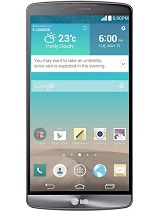 The LG G3 moved the volume buttons to the back of the phone- and that was amusing for a while. The phone itself was slow and chewed through batteries. I used this phone for ~6 months and ‘upgraded’ to the LG V10.
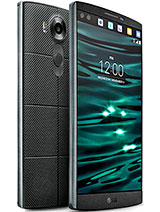 The LG V10 had a second screen for noticicaitons and an enahcned DAC for better sound. It was also ‘ruggitized’ for duriability. It had the rear volume controls around the power button and a fingerprint sensor in the button. The first issue I had with this device is the fingerprint sensor would not work if the phone is in a case…
The GPS was unreliabe; several times I could not get a GPS lock while driving down the interstate in GA. A reboot usually temporarily fixed this- but this also lead into its second issue: the battery would drain much faster than anything could charge. On several occasions, I would try to use Google Maps for directions and the phone would steadly creep down the battery percentage while connected to a QC 2.0 charger. I happily returned this phone when my ‘lease’ ended with T-Mobile.
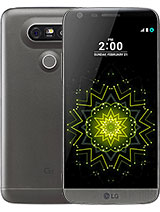 More recently I purchased the LG G5. I loved the phone for the size, the performance and the USB C charging connector. I picked up the LG G5 Camera addon and the LG 360 camera (more info my prior posts) accessory. It seemed to be the perfect phone- until the volume control became intermittiant. I am unsure if it is a hardware or software issue, but it usually stops working after I connect to a bluetooth audi device (headphones, car, etc). A few reboots sometime fixes this, but is yet another LG pain-in-th-ass.
I have LG several chances to make me like them and have received poorly designed (and seemingly untested) devices complimented with poor support and broken support websites; my next phone will be a Google Pixil or a Samsung.
9.26.2017
Recent Target Deals
I like to check the back endcaps in Target’s electronic department as they can get pretty aggressive at trying to discontinue items. I found a few items at the Milton, GA store that I could not pass up. Please note these closeouts may be store-by-store and pricing in other stores may vary. Today I scored:
View Master Deluxe VR Viewer: Marked down to $11.98 from $39.99
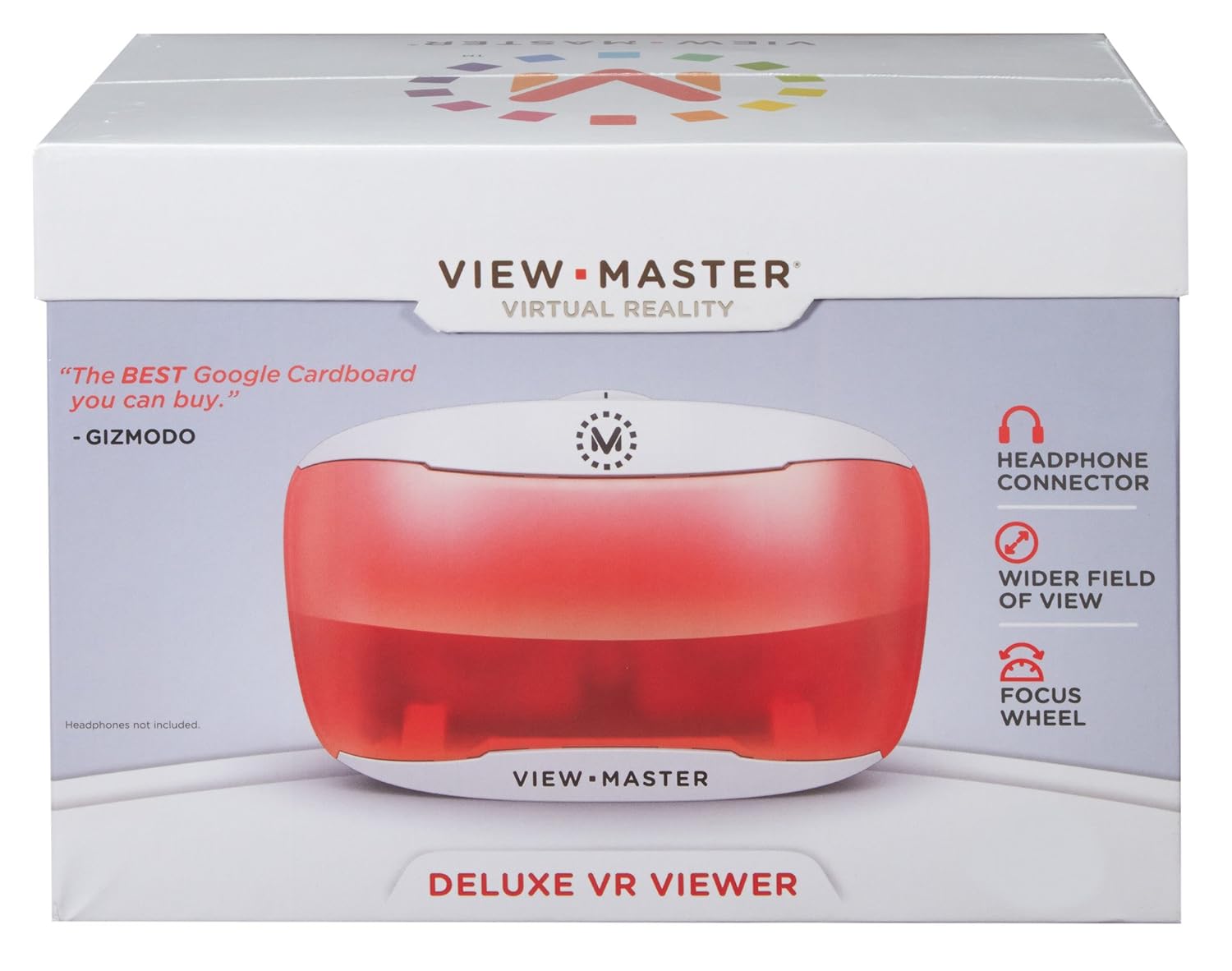
This is yet another headset that uses smartphones as a VR device. It is designed to work with View Master ‘experience packs’ (such as the Space pack below) and also doubles as a pretty decent Google Cardboard device. One oddity is the front is see-through red and this tints any AR viewing via the phone’s camera. (Rose colored glaases?)
One complaint is that it does not have a head strap option- and holding with my hand creates more shake than similar models that do have a strap.
View Master Space Experience Pack: Priced at $4.48 (from $14.99)
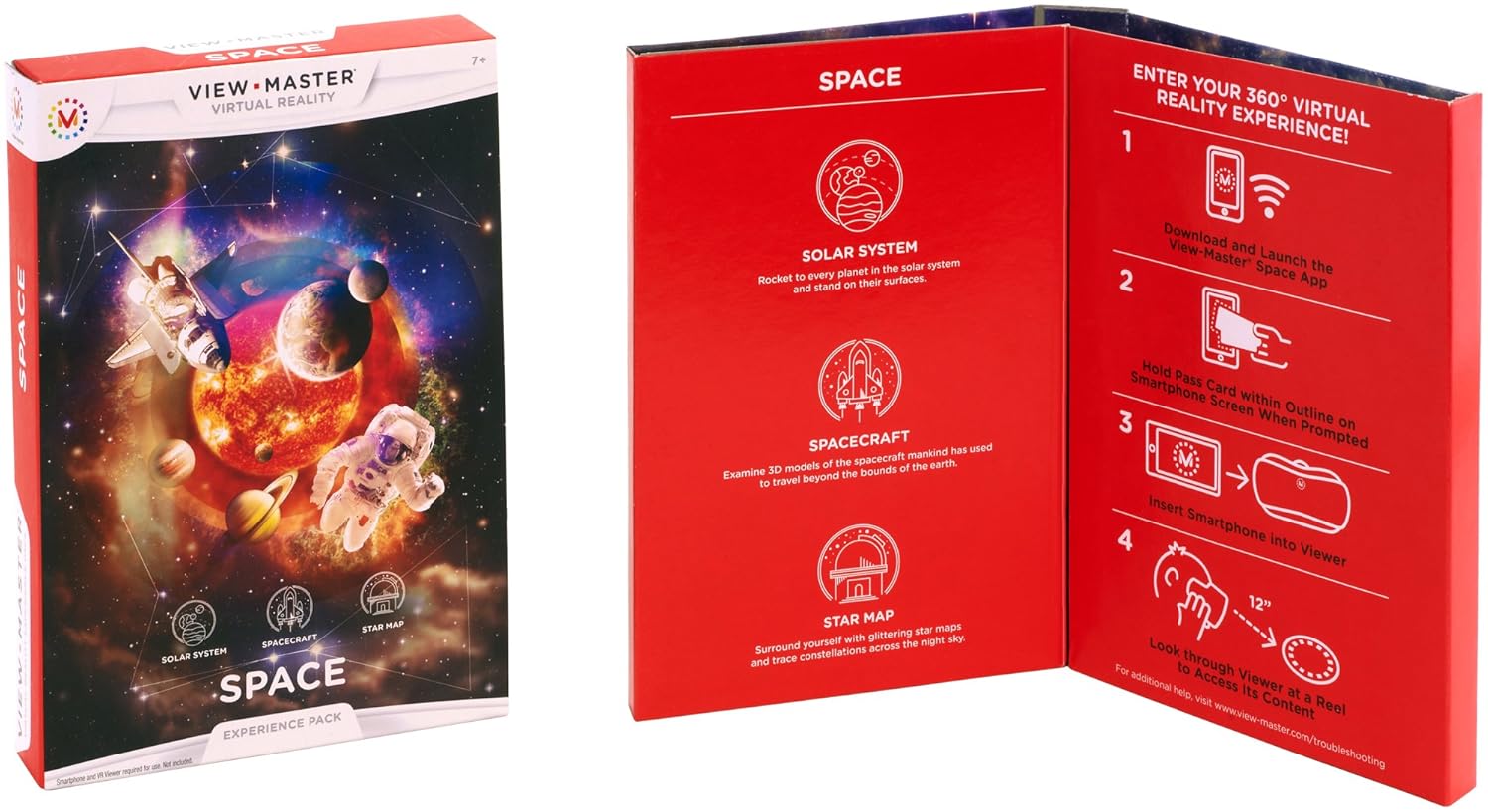
I believe this is geared to a younger audience. The AR and VR interaction is pretty cool, but it provides elementary school level info on planets, rockets, etc. that has no real depth. One VR segment features a Saturn V rocket and has three points of interest (command module, stages, thrusters) which have pop-up windows with text information.
At $5, this still feels like a waste of money.
PowerA Xbox Fusion Wired Controller: Was $49.99 and closeout at $14.98
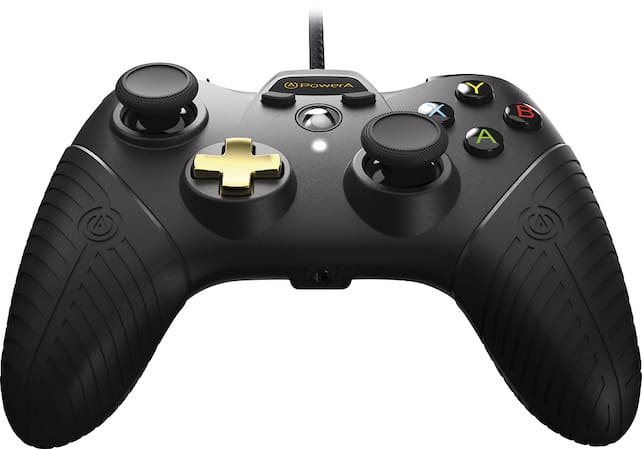
This feels like a decent quality controller; not quite xBox or Logitech quality, but fairly nice . The handles feel better to me as they are a little more narrow than a normal xBox controller. The package provided three different style analog stick for customization.
Homedics Mercury Percussion massager: Also $11.96 (from their normal $39.99)

Just a hand held massager; I have been considering picking up something similar to this, and a 70% discount made it too good to pass.
I have a strong feeling I will tire of the first two items in a few days- but $17 for a few hours of entertainment is worth it. I will likely donate to a thrift store once I am done for someone else to enjoy.
9.22.2017
PSP CSO Batch File
Small Windows batch file to compress all ISOs in current directory (W:\ROMs):
ECHO OFF
for /r %%i in (*.iso) DO (
ECHO Source: "%%~ni.iso"
ECHO Destination: "%%~ni.cso"
w:\ROMs\ciso 9 "%%~ni.iso" "%%~ni.cso"
DEL "%%~ni.iso"
)
Copy the ciso.exe found in the \files directory under the PSP ISO Compressor folder in program files to the current directory.
The batch file will loop through files with an .iso extension to compress into a .cso and delete the original.
I would suggest commenting out the DEL line for a first run- just to make sure everything works as expected. ;)
9.21.2017
PSP Go! Resdicovered

One of the ROMs on the my system is Patapon; a highly addictive rhythm based game. After a few hours, I remembered why I stopped playing: it can be frustrating as hell if you miss one beat in the middle of a large battle. Luckily, the Internet has provided game save files with near completion or large amounts of resources.
I also thought it would be fun to order an old 'not working – for parts’ PSP 1000 from eBay and attempt to repair. The screen is larger (4.3” vs 3.8”) and the buttons feel better on the full-sized PSP. Once I get the older PSP working (I may need to order another ‘for parts'), I plan to encase in a new shell (first choice is gold, but also considering the see-thru red and white housing) to make look decent.
I also still have a Pandora’s battery and ‘Magic Memory Stick’ that should allow me to put a CFW on the PSP1000…
LG 360 Camera Firmware
As mentioned in a prior post, I purchased an open-box LG 360 camera from a seller on Amazon- and the LG customer service experience began. After several failed attempts to use various versions of LG Bridge and on different Windows and Mac computers, I had given up and was using an older 360 Camera application from the Google Play store.
Yesterday I chanced upon a post on the LG Users forum on Google plus that had a capture of the R10510L firmware. Another post on the page made me aware of the ‘UPPERCUT’ application this able to load firmware to LG devices without using their bloatware LG Bridge (re: bloatware as I have zero interest in their mandatory LG Drive to run LG Bridge).
After installing LGUP (included in package) and UPPERCUT, I was able to update my LG 360 camera to R10510L. :)
I am still unable to connect to the camera via LG Bridge. The updated Android application is much faster to connect and take pictures (old app had a 1-2 second delay after pressing the on-phone button).
My miserable experiences with LG’s US support has convinced me to stay clear of any future LG purchases; It really felt like it was lowest-bid out-sourced customer support as it was complete ‘I-don’t-give-a-fuck’ correspondence.
5.10.2017
LG 360 Camera - Software Problems
 The LG 360 camera is an interesting device with dual 180 degree cameras that provide a full 'sphere' photo. It retails for $199 but was shipped as a bonus for many early LG G5 adopters.
I chanced upon one of these on Amazon at a reasonable price. This post will chronicle the ongoing difficulties I have had trying to get this device to work as LG designed.
I ordered the camera on April 17th and received on April 19th. After charging the camera powered up, can take pictures via the shutter button and I can retrieve the photos via USB cable. The main issue is pressing the button requires me to be in each photo (with my arm extended towards the shutter button).
I downloaded the LG 360 Camera software from the Google Play store and tried to connect to the camera- and nothing. I tried again with a Galaxy Tab S2; same results. I repeated my attempts with a LG V10, a Samsung Galaxy S6, a Samsung Galaxy S5, a Google Nexus 5 and an Amazon Kindle HD8 with the same results. I assumed the camera was broken and requested a return from Amazon.
Not being one to give up on a gadget, I thought I would take it apart to see if it was fixable before returning; the tear-down video from iFixit discouraged me from attempting. I did have the idea to try the camera with the iOS version of the 360 Camera application- and it worked!
The connection to the camera is a little odd; in the iOS app, I tap the 'search' icon and it finds the camera via Bluetooth 4.0 LE. The app connects and the camera makes a chirp to indicate it has enabled WiFi. On the iPad, I connect to the LGR105xxx WiFi SSID of the camera and a the camera makes a different noise- indicating a device has connected via WiFi. Opening the application again reveals the camera connected and it can be remote controlled from the iPad.
Going back to android, I discovered I could initiate this by attempting to manually connect to the camera via Bluetooth. This sounds the alert that WiFi is on and I can see the LGR105xxx SSID. I am unable to establish a WiFi connection to the SSID from any android phone. (It does sometimes make the second noise- and Android OS times out when connecting.
Going back to android, I discovered I could initiate this by attempting to manually connect to the camera via Bluetooth. This sounds the alert that WiFi is on and I can see the LGR105xxx SSID. I am unable to establish a WiFi connection to the SSID from any android phone. (It does sometimes make the second noise- and Android OS times out when connecting.
After some research in several LG 360 camera forums, I found the latest versions (5.11.1 and 5.2.x) of the LG 360 Camera software for Android require a firmware update on the camera. I managed to find a website with older versions of the LG 360 software. Installing v5.1.9 allows me to connect to the camera from my android phone! :)
I believe the firmware (R10508e) on my camera is an early version. LG 360 forums indicate there was a large update in April 2016 (R10510e) and several updates since then (R15010L is current). The phone is updated with the LG Bridge application- but it will not connect to the camera. 30 seconds after my camera is connected, LG bridge responds:

With this information, I opened a ticket with LG support as I was sure there was an easy fix. After a few disappointing conversations with 'Abby', it was clear LG no longer cares about supporting this product.
I was informed the latest LG Bridge software would allow me to update the firmware. I tried to explain I had already tried this- on several PCs- and it does not connect. I think I would have been better off beating my face into a concrete brick wall than bothering with LG support... The 'tech' regurgitated her script, continued to apologize that she had no clue as to what was going on and provided me with instructions for downloading LG Bridge...
Some forum users have reported issues with USB controllers so I tried on a few different PCs (five) and a MacBook Pro; all have the same issue. The PC OSes vary between Window 7, Windows 8.1 and Windows 10. The camera was tested in different USB 2.0 and 3.0 ports on each PC with a variety of USB C cables; all exhibit the same issue.
LG 360 Camera User Forums:
I tried downgrading LG Bridge to an older version (v1.2.10) but it insists it needs and update when the application is started; if I decline, the app shuts down. The work around is to disable Internet connectivity before starting LG Bridge. I have tested on two PCs and both are unable to connect. (The latest LG Bridge also insists on installing LG's own 'LG AirDrive' cloud software that I have zero interest in using- and it required to use the LG Bridge software...)
The LG drivers were also downgraded from v4.2 to v4.0.4. (LG Bridge will try to update this if it is run while connected to the Internet) with no change in results.
I am starting to suspect that LG has blocked the older firmware out of LG Bridge in a similar manner as they neutered the Android app for the same users. I cannot use the new app without updating the firmware- but I cannot update the firmware was LG bridge will not connect...
The LG website also offers a PC Suite 'for older devices'- it also will not connect to the camera (Windows or MacOS version).
I am continuing to look for older drivers and firmware in the crazy idea I may find a way to update this camera and re-enable updates of the LG 360 Camera software in Google Play- but it is looking bleak.
Some tips:
- Holding down power + shutter for 4 seconds forces a wireless reset of the camera (Bluetooth & WiFi?).
- The camera will start beeping if I press power + shutter for 8+ seconds. Pressing the power button within 4 seconds will factory reset the device.
Why the Hell is this so complicated LG? Did you hire the lowest wage 'agile' developers and neglect to create an outline of what was needed before they started work? Why does the LG 360 Camera that was launched with the LG G5 have so many software and hardware stipulations to make it work?
My final thoughts:
LG 360 Camera Hardware: 7/10
-compact design, good pictures, decent battery, quality feel
LG Software: 3/10
-Incompatibilities between camera firmware/Android app/LG Bridge make the device frustrating to use. LG bridge requires most recent updates and their cloud program to be installed before the software will start (if connected to the Internet).
LG Support: 0/10
-I wasted my time contacting LG support; Googling for LG 360 Camera Issues (ignoring the LG link) allowed be to connect my Android phone to my camera!
This experience (plus a failed controller board in an LG LCD TV) has left me with a bitter taste for LG products. At one time (many years ago,) LG was one of my favorite brands. Going forward, I think I will be better off considering devices from Samsung, Sony and other reputable vendors before rolling the dice with a future LG purchases.
5.09.2017
Portable Working
I have issues with misplacing information while working on projects as I will work in the office, from home or from a remote terminal session. I was looking for an encrypted cloud-based system that will let met pickup work from almost the same spot I stopped (on another computer). I am also a huge fan of Notepad++ and came up with this:
Cloud Service: Google Drive
Encryption: Boxcryptor
App: Notepad++
1. install Google Drive
2. Install Boxcryptor
a. Create a free Boxcryptor account (works for up to 2 computers)
b. Specify Google Drive to use as the 'location'
c. Boxcryptor will assign a drive letter (W:, for ex.) and link Google Drive under the new drive
d. Select folders and encrypt them with Boxcryptor
3. Create a 'Notepad' folder in W:\Google Drive\ and encrypt with Boxcryptor
4. Install Notepad++
a. Settings -> Preferences -> Cloud. Point to W:\Google Drive\Notepad
b. Settings -> Preferences -> Default Directory. Point to W:\Google Drive\Notepad
c. Settings -> Preferences -> Backup Set Custom Backup Directory to W:\Google Drive\Notepad
d. restart Notepad++
5. Repeat the above on the second computer
Cloud Service: Google Drive
Encryption: Boxcryptor
App: Notepad++
1. install Google Drive
2. Install Boxcryptor
a. Create a free Boxcryptor account (works for up to 2 computers)
b. Specify Google Drive to use as the 'location'
c. Boxcryptor will assign a drive letter (W:, for ex.) and link Google Drive under the new drive
d. Select folders and encrypt them with Boxcryptor
3. Create a 'Notepad' folder in W:\Google Drive\ and encrypt with Boxcryptor
4. Install Notepad++
a. Settings -> Preferences -> Cloud. Point to W:\Google Drive\Notepad
b. Settings -> Preferences -> Default Directory. Point to W:\Google Drive\Notepad
c. Settings -> Preferences -> Backup Set Custom Backup Directory to W:\Google Drive\Notepad
d. restart Notepad++
5. Repeat the above on the second computer
3.14.2017
Today I learned...
Excel tips:
Delete empty rows:
1. Highlight column A
2. Press F5, Select 'special'
3. Select 'Blanks'
4. Hit Ok and 1st cell of each blank row will be selected
5. Delete -> Delete Sheet Rows
(note: column A is used as other cells may have merged contents)
Find duplicate cells:
1. highlight column
2. Conditional formatting
3. Highlight Cell Rules -> Duplicate Values...
4. Select a color and 'Ok'
Delete empty rows:
1. Highlight column A
2. Press F5, Select 'special'
3. Select 'Blanks'
4. Hit Ok and 1st cell of each blank row will be selected
5. Delete -> Delete Sheet Rows
(note: column A is used as other cells may have merged contents)
Find duplicate cells:
1. highlight column
2. Conditional formatting
3. Highlight Cell Rules -> Duplicate Values...
4. Select a color and 'Ok'
6.09.2015
nVidia Shield Remote
subtitled: How to not build a remote
Nvidia released their Shield branded version of Android TV and it has turned out to be a very impressive device. As the device is geared towards a gamer audience, it shipped with an nVidia game controller. The controller can be used for browsing Netflix, Youtube, etc., but it is not optimal as it is big, it will power down if left untouched, and it features soft-touch buttons that are way too easy to accidentally press (specifically the $%@# voice search button)...
The nVidia offered alternative to this is a $50 bluetooth remote that initially looks nice (very thin, headphone jack, microUSB charging) but eventually fails when it is used for consuming media. It feels as if it was created in CAD by talented engineers and designers -but with no actual hands-on functional testing/revisioning before production.

The Shield Remote features three buttons situated below a four-way navigation circle with an additional button in its center. The bottom half of the remote contains a stripe with a touch sensitive volume control (pretty cool!). There is a mic at the very top of the remote (for voice search) and a headphone jack on the bottom (for roommate quiet-time or night use). The remote is rechargeable via a microUSB port next to the headphone jack.
1st complaint: navigation pad placement
The navigation circle is placed at the very top of the remote.
The remote is flat and thin and has the sensation of not feeling 'stable' in hand: it wants to flip over on an edge and not lay flat while fingers are involved (it will securely lay flat in palm when not in use). It feels somewhat odd pressing the directional pad left/right with my thumb as I want to move my index finger up behind the navigation pad to brace -and that is a very unstable grip. The end result is I often end up pressing the wrong (or multiple) button(s). Sliding the remote down orients the circle pad a little better, but then it is ass-heavy in the hand.
2nd gripe; the (completely useless) voice search button is in the center of the remote (where the navigation pad belongs).
I personally find voice search for a TV to be not-so-useful; I would rather browse around Netflix/YouTube/Etc. However, the location of the button almost guarantees will hit it when my thumb wanders away from the touch of the remote for an instant- resulting in the search overlay blanking my TV show, muting the audio, and providing a knowing 'chirp'...
3rd groan; the only 'backlit' button is the (aforementioned useless) voice search button.
I am really unclear on why anyone would design a button to light up in green to indicate a voice search request (covered by a finger at that moment) as the TV will also blank and provide an audible search 'chirp' affirming that same action. That particular green LED would have been much better situated behind the directional pad that is located in wrong place...
This particular remote is headed back to Amazon as I personally cannot justify $50 for a dysfunctional search button stick. Hopefully there will be a v2 (or a 3rd party) remote that addresses some of the above issues.
Continued rant about voice search:
Hands-free search is useful for a cell phone in a car- but not-so-much on a game console/media player/home automation system (or on the same phone in any other situation). In the time it would take to pick up a remote and enunciate 'Battlestar Galactica' (-and assuming the search engine understands me on the first try) I could also browse through Netflix (or Kodi) and find the same movie with the same remote (and not appear to be going schizophrenic/tourettes to the roommate..).
Nvidia released their Shield branded version of Android TV and it has turned out to be a very impressive device. As the device is geared towards a gamer audience, it shipped with an nVidia game controller. The controller can be used for browsing Netflix, Youtube, etc., but it is not optimal as it is big, it will power down if left untouched, and it features soft-touch buttons that are way too easy to accidentally press (specifically the $%@# voice search button)...
The nVidia offered alternative to this is a $50 bluetooth remote that initially looks nice (very thin, headphone jack, microUSB charging) but eventually fails when it is used for consuming media. It feels as if it was created in CAD by talented engineers and designers -but with no actual hands-on functional testing/revisioning before production.

The Shield Remote features three buttons situated below a four-way navigation circle with an additional button in its center. The bottom half of the remote contains a stripe with a touch sensitive volume control (pretty cool!). There is a mic at the very top of the remote (for voice search) and a headphone jack on the bottom (for roommate quiet-time or night use). The remote is rechargeable via a microUSB port next to the headphone jack.
1st complaint: navigation pad placement
The navigation circle is placed at the very top of the remote.
The remote is flat and thin and has the sensation of not feeling 'stable' in hand: it wants to flip over on an edge and not lay flat while fingers are involved (it will securely lay flat in palm when not in use). It feels somewhat odd pressing the directional pad left/right with my thumb as I want to move my index finger up behind the navigation pad to brace -and that is a very unstable grip. The end result is I often end up pressing the wrong (or multiple) button(s). Sliding the remote down orients the circle pad a little better, but then it is ass-heavy in the hand.
2nd gripe; the (completely useless) voice search button is in the center of the remote (where the navigation pad belongs).
I personally find voice search for a TV to be not-so-useful; I would rather browse around Netflix/YouTube/Etc. However, the location of the button almost guarantees will hit it when my thumb wanders away from the touch of the remote for an instant- resulting in the search overlay blanking my TV show, muting the audio, and providing a knowing 'chirp'...
3rd groan; the only 'backlit' button is the (aforementioned useless) voice search button.
I am really unclear on why anyone would design a button to light up in green to indicate a voice search request (covered by a finger at that moment) as the TV will also blank and provide an audible search 'chirp' affirming that same action. That particular green LED would have been much better situated behind the directional pad that is located in wrong place...
This particular remote is headed back to Amazon as I personally cannot justify $50 for a dysfunctional search button stick. Hopefully there will be a v2 (or a 3rd party) remote that addresses some of the above issues.
Continued rant about voice search:
Hands-free search is useful for a cell phone in a car- but not-so-much on a game console/media player/home automation system (or on the same phone in any other situation). In the time it would take to pick up a remote and enunciate 'Battlestar Galactica' (-and assuming the search engine understands me on the first try) I could also browse through Netflix (or Kodi) and find the same movie with the same remote (and not appear to be going schizophrenic/tourettes to the roommate..).
6.01.2015
nVidia Shield Android TV Tear Down
I ordered an nVidia Shield 16GB Android TV and received it this morning.
My first thought is the 16GB be upgraded with a 2.5" hard drive like the 'Pro' model uses?
The console has no visible screws; the bottom readily popped off with a plastic tool.
Below are images of the innards of the nVidia Shield Android TV (note: serials obfuscated).


My first thought is the 16GB be upgraded with a 2.5" hard drive like the 'Pro' model uses?
The console has no visible screws; the bottom readily popped off with a plastic tool.
Below are images of the innards of the nVidia Shield Android TV (note: serials obfuscated).

Initial opening; note the 2.5" filler in middle

HD filler and cabling removed. No obvious SATA ports.
Also to note is a metal shield that was covering some memory (?) chips below the CPU:
The metal shield was held in place by the tape holding the cables... (odd)

Interesting cable; the J1 end looks like a BGA.

Section of board where J1 connects; additional unused connector is located above.
Two metal pegs align and the screw secures the the contacts.

Console partially re-assembled with base
Thoughts: no obvious SATA or power connectors on board. There is a possibility that a second cable may be used in the pro version that would connect the additional space above J1 to a SATA cable? Or is the the 16GB flash on a board that can readily be removed and and replaced with a board that supports SATA?
The nVidia Shield Pro Android TV isn't due to be released for another few weeks; hopefully more info will be forthcoming once it has been released.
3.10.2014
Wireless Headphones
I am in the market for headphones so I visited a few local electronics stores to see what is available; It seems that at least 15% of BestBuy’s floor space is dedicated to headphones, with shelf space allocated in the PC, xBox, Playstation and Wii sections- plus two aisles of additional headphones and ear buds for MP3 players….
Turtle Beach is a long-time player in the headset market and they have a staggering number of headsets for sale (I counted 34 different headsets- just for PC- on their main webpage; note: seven of these are ‘recertified’ models and several others are specific game/movie branding duplicates).
The model names they use do not seem to much sense; most are prefixed with X, DX, XP, PX, DPX, of Z and followed by 1-3 digits plus an occasional trailing letter. The Z-Seven appears to be their flagship, followed by the Z300 and Z22. The first two are wireless models but the Z22 is a wired model (i.e. Z does not indicate ‘wireless’). The Z300 states it is a 7.1 surround sound model, and it seems to share this with the Z-Seven, the DP11, the DPX21, the DX12 and the ‘Charlie’ models- but not the Z22, the PX22, or the X12 (perhaps ‘D’ is for Dolby surround- but not on the Z-Seven or Z300?)
There appears to be zero effort to use model numbers as indicators of what the headset actually does. No matter, I decided to click the top headsets and compare their features:

It appears the person that is in charge of entering in the headset information no longer works at Turtle Beach?
Looking into the comparison, a good deal of information that I would like to know is missing, such as:
- Wired or Wireless?
- Bluetooth Capable?
- Surround Sound or Stereo?
- Battery Life?
One item lists that it supports at least one audio input (stereo 3.5mm aux input jack- but I hope they have additional inputs for 7.1 audio) and another lists it has a USB port (for Chat & Power)…
However, they do take the time to note that *most* of the models I looked at come with a quick start guide and a Turtle Beach sticker (-which no one really cares about).
The Turtle Beach website is pretty, but completely useless for deciding on a purchase.
Instead of me spending another 45m in the aisles of BestBuy trying to decipher what the difference is between the Z-Seven and the Z300 (other than $50) I think I will go try out something from Creative Labs (which appears to make ‘only’ 14 models of gaming headsets) as they include relevant information on their website to help facilitate my purchase decision:

To Turtle Beach: try to work out a comprehensible naming standard that doesn’t looks like you pulled random letters and numbers out of a bag- and please update your website with semi-relevant information on your products…
2.25.2014
Dungeon Keeper Undone

A sequel was released in 1999 that had better graphics (screen resolution up to 1024x768), additional minion/room options, and humorous between-level cut scene videos.
Both versions of the game were incredibly fun and memorable.
…and then Electronic Arts (EA) attempted to revive the franchise in 2014.
Dungeon Keeper mobile by EA is loosely based on the original game franchise and was released as a freemium offering. The premise of building up the strength of your minions and improving dungeon rooms is still in there, but the quest lines have become very basic defense of your dungeon or offence on another (very similar) dungeon. Additionally, players can raid another online player’s dungeons (randomly chosen- unless you retaliate for an earlier incursion).
The basic mechanics are pretty enjoyable; add rooms, level up abilities by spending mined/plundered gold or stone, and deploy defenses to make your dungeon more resistant to attacks. The game includes a ranking system that shows an individuals standings vs. the other Dungeon Lords all across the Internets.
The game is run in real-time (i.e. if you disconnect, processes in your dungeon are still continuing on EA’s servers) and every construction/training/upgrade takes some measure of real-world time: Excavating a dirt block only takes 4 seconds, but mining a gem vein block will take 4 (for a normal vein) or 24 (for a hard vein) real-time hours; Training minions can run mere seconds to several minutes depending on type and level; Upgrading dungeon rooms requires from 15 minutes up to 48 hours (possibly longer) as the level of each room advances.
EA has decided that time is definitely money and has done all it can to fill its coffers with by plundering their players with micro-transactions.
Upgrades to objects inside the game will require either stone or gold resources; both are readily available via mining, quests or raids. Much rarer are the gems that are required to bypass the time required to perform tasks. For example, instead of waiting 24 hours to upgrade a training room, I could spend 450 gems to have it completed instantly. A player starts off the game with 550 gems and can obtain additional gems in-game by completing achievements (5 to 25 gems each) or randomly while mining dirt (3 gems) or gem veins (unknown amount).
A player starts with one Imp minion that will perform all work in the dungeon (mining, building or upgrading rooms, deploying traps, etc). Adding a second imp is 100 gems; adding a 3rd is another 800 gems. Based on current yields I am anticipating that it will likely take me 2-3 months to obtain enough gems to purchase a third imp- and that assumes I spend none of the gems on other upgrades/builds.

One example (that really urks the the Hell out of me) is removing a hard gem vein (normally 24h per block); based on EA’s ‘Best Value’, each block will cost about $1.78 USD to remove- which is about 1/2 way to a decent paid game in either Google Play or the iTunes store…
It is very important to note is there is no offline mode for Dungeon Keeper mobile- when you start the game, it logs into the EA servers. If you cannot connect to the Internet, you are sent away.
Another aspect of the game that is moderately annoying is the player must always replenish their minions after a raid- regardless if they win or lose the battle. Replenishing requires gold and (you guessed it!) time or gems. An average minion summoning time for my current dungeon is about 15 minutes; after I conduct a raid/quest, I re-summon my selection of troops before closing out of the game.
The game also features prominent push notifications- such as the in-game narrator announcing that ‘your minions are ready for battle’- that will go off at the some of most interesting hours of the morning. On the Android version, system volume appears to be ignored when making these announcements (save for full mute) and this can be ‘hellishly’ loud at 3am as I am notified that my ‘Library upgrade is complete’. It was amusing for a while… a very short while. It then took me some time to find how to disable these notifications: In the Android version, select the in-game icon that looks like a ‘Play’ button on left'; then select the ‘Gear’ icon’; next pick the drop-down arrow (next to help & about at top) to select Game Settings; and finally turn off Push Notifications.
The gameplay itself is moderately enjoyable; the realization that EA tainted the gameplay time mechanics solely to annoy the player enough to purchase digital gems overpowers the enjoyment. I really want to like this game, but after the first 15 minutes of gameplay, it is about as entertaining as watching paint dry on an overcast day.
My personal advice is if you have an extreme measure of patience, give it a shot- you will probably enjoy. However, if you are a fan of the original series, you will likely feel like EA has slapped you in the face and told you to ‘pay up, bitch!’ after your initial enthusiasm fades. Instead of wasting USD on digital gems, I would suggest visiting GoG games and consider purchasing the original Dungeon Keeper or Dungeon Keeper II for $5.99 each. If the 640x480 graphics of the original game isn’t tolerable on your 30” LCD monitor, check out the fan made KeeperFX mod that brings the graphics up to near-2003 display resolution standards. Additional fan-made maps and goodies can also be found in the Keeper Klan forums.
10.05.2013
Fitbits
I have been a FitBit user since I ordered an original unit on September 29th, 2009. I had forgotten the unit and it went through the wash and died. I replaced it and continued to enjoy the information it gave on my activity. A few years later the FitBit Ultra was released (it tracked vertical distances traveled) and I upgraded again.

In early 2013, Fitbit release the Fitbit Flex. They were in high demand, so it was June before I was able to acquire one.
The Flex regressed in design as it could no longer detect vertical travel and its display digressed to a 5 dot LED display. The older versions of Fitbit could show numeric info (steps taken, miles walked, calories burned, etc) and the Flex can show percentage of your daily goal in 20% increments (based on the number of LED dots that illuminate when you double-tap it).
Additionally, I can 'rapidly tap' it to let it know I am going to bed so it can start recording my sleep paterns.
The form factor is awesome; it clips on my wrist, it is waterproof and I only need to charge it every 5 to 7 days (I get an email when the battery is low- or the companion iOS/Android app lets me know the battery status).
The 'tapping' input is about to drive me nuts.
I have it set to provide an alarm clock function at 8:00am. At this time, the band will start vibrating until I 'rapidly tap' to acknowledge the alarm. It takes me about a full minute to get the unit to exit alarm mode- and more than often it will go into sleep recording mode which requires more taps to get back to normal.
Last night I attempted to double-tap the unit to get an update on my steps taken. It went into sleep mode and it then took me another 3 minutes to get it to go back to normal- up to the point of taking the band off and beating it against the steering wheel for a good 30 seconds.
This behavior appears to have worsened with age as 3 months ago it was very responsive.
I am considering pulling my old Fitbit Ultra out of storage and giving up on the Flex- it has become just that annoying.
7.07.2013
Full Conversion to Android
Apple’s iOS products were very useful when they were the only real option. For a long time I carried my Android phone for most of my normal use and an iPod touch for specific media uses. At the time, there were not a lot of real good alternatives for some of the options that iOS offered and I was stuck in-between using two devices.
These hold-outs included:
- Music – albeit iTunes is a bloated POS on both Windows and MacOS, there is not an easier way to organize and synchronize your music to a portable music device. Windows Media does sync, but it is temperamental at the best of times. There are tons of 3rd party apps that try to synchronize, but I have found most to be more buggy than iTunes- and none of them do a decent job at Audiobooks or Podcasts (see below).
The replacement for this was moving to a monthly music service. At first I used Spotify as it tied into Facebook, but the novelty of this wore off and I eventually stopped using it. When Google music announced an all inclusive option for $7 (for early adopters) I was interested as I had already synchronized my music collection to Google over a year ago. All my music + every other song I can imagine = awesome!
Now if Google could just make their Play Music work more like a real music player (like PlayerPro or PowerAmp)… Podcasts – This was a long hold out as I have a few odd podcasts I actually pay for (Mysterious Universe) and they require a login to access. I tried BeyondPod Podcast Manager and Podcast Addict, but both were lacking in one feature or another. I eventually sprung for DogCatcher. This app isn’t the easiest to figure out- but once I did it is like having all the functionally of iTunes podcast setting in my phone- plus additional features I probably will never use. :)
Additionally, with an extra plugin, I can change the playback speed of podcasts; 1.5 is the default max, but tweaks can allow up to 3x playback (2x is a good speed for me).Audiobooks – This was the last great holdout. I listen to audiobooks quite a bit. Audible has a good selection of Audiobooks and their player is very good on both platforms, but I also obtain audiobooks from other sources. For a while, the best option was to take MP3 versions of audiobooks, brink them into Audibook Builder on a Mac and convert them to M4B format that would work with iTunes and iOS devices.
M4B format is an Apple proprietary format that allows for chapters, bookmarking and other nice audio formatting. On iOS devices, the M4B audiobooks can be played back as ‘faster’ to reduce the listening time by speeding up the reading with no noticeable change in pitch- just a faster canter of speech. This format does not allow for variable speed playback on other applications without licensing- and iTunes appears to limit the playback speed to 1.5x. (This seems unbearably slow after listening to the Audible app playback at 2x).As M4B was initially awesome, but its downfall is destined due to licensing, limited playback speed and lack of compatibility with most things non-Apple. I tried Akimbo Audiobook Player, Smart Audiobook Player and a bevy of others. Most of them are chunky, do not offer decent playback speed options or feel like the UI was designed 2 years ago and never updated.
Listen Audiobook Player broke the last link in the Apple audio dependency for me. Listen will intelligently scan for audiobooks, download cover art, provides variable speed playback (under labs settings) up to 3x, has a useful high-speed scrubber bar (Audible should take note of how this works) and many other features.- Audio Interface – The final revelation came when I realized my USA Spec PA15-HON2 iPod interface for my car also had the option for an RCA audio input. I popped open my dash, flipped a dip switch, installed a RCA to 3.5mm headphone adapter and cable and I was able to play back EVERYTHING from my phone- and at any playback speed I wanted... :)
The only feature I do miss is the ability to track up/fast forward from the controls on my steering wheel. Hopefully Android will one day provide an interface for such features (and a working headphone volume/remote interface!) as it would be useful to control an Android music player with a remote.

I have an iPod Touch and an old iPod classic 160GB that I will be putting up on eBay. They were good for for their time, but having to dock them on a computer to get updates for podcasts or music has become a bother. The newer iOS devices have a new proprietary plug that I have little interest in investigating any further.
It is very comforting that I now have one device that can do everything I want for entertainment, home automation, security monitoring, email, web browsing, GPS directions/logging/tracking and games- and much more… Along with a Mophie juice pack to keep all of these things going for 24h+ :)
6.12.2013
Windows 8 < Windows 7
I started using Windows 8 when it first came out. Within a few weeks, I started getting BSODs with escalating frequency. I went back to Windows 7 without a second consideration.
Eventually I assumed that my issues must have been caused by a bad driver or a failing hard drive as no-one else seems to be having these issues, right?
I replaced my CPU (upgraded from an i7-2600k to an i7-3770K), motherboard , RAM and SSD and decided to give it another try. I did a clean install of Windows 8 x64 on 2013/05/17.
I had by first two BSODs five days later on 2013/05/23. I assumed this was the video driver as I switched from an nVida GT670 card to a pair of HD 7790s (for bitcoin mining).
It has gotten worse; I had three BSODs yesterday and four today:

I am headed back to the stability of Windows 7 until Micosoft gets this tablet-wanna-be OS running a little better…
Subscribe to:
Posts (Atom)